Echo Forms features
Signature

Conversational forms for WordPress, one question at a time.

Conversational forms in WordPress show one question at a time, large and centered with Next and Previous. A long form seen all at once looks like work; shown this way, the same form feels like a short chat, and more people reach the end.
One switch

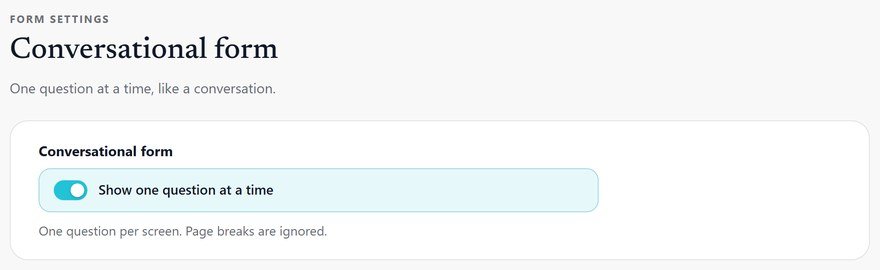
Tick one box and every field gets its own screen.

Show one question at a time gives each question a large, centered label and a box that fills the step. Enter moves on to the next question.

Any form, nothing to rebuild

Enter moves on

Page breaks are ignored while it is on

Feat conversational forms switch it on r1025
Feat screens greet people with a welcome screen r1025
A welcome first

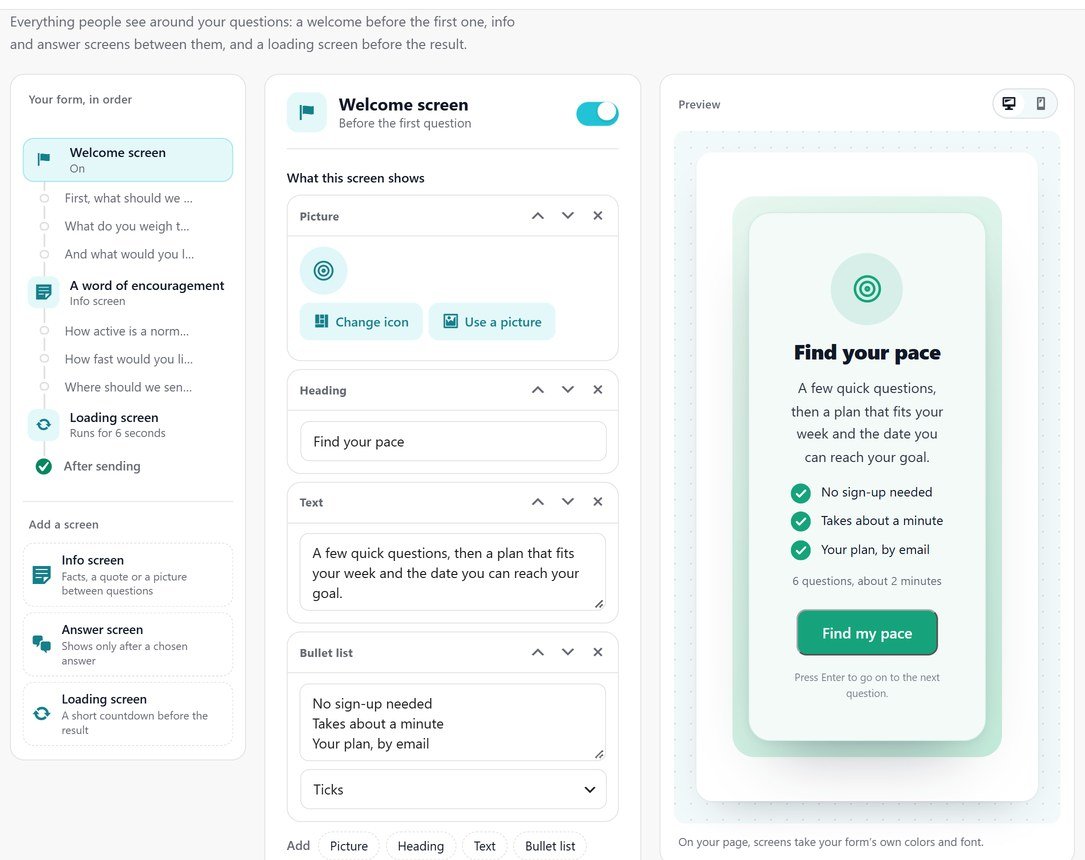
A welcome screen before the first question.

Start with a heading, a few words, a picture and a Start button. They see how many questions there are and about how long it takes before they begin, and a thin bar shows how far along they are.

Your heading, words and button

A picture on the left or the right

The questions and minutes counted for them

Everything in conversational forms.

What it does, a line each, so you can check it does what you need.

Any form

One switch on a form you already have; nothing to rebuild.

One question per screen

Large and centered, with Next and Previous.

Enter moves on

Type, press Enter, next question.

A welcome screen

A heading, a few words and a Start button.

A picture beside it

On the left or the right, or none.

Questions and minutes

Counted and shown before they start.

A progress bar

A thin bar shows how far along they are.

Picture choices

Choices as cards suit it: one tap and on to the next.

A page of its own

Pair it with a landing page for a fully guided feel.

Set it up

How to turn a form into a conversation.

Ideal for teams whose forms feel long, from quote requests to sign-ups. It takes about 1 minute to switch on, because the same form is shown as a one question at a time form instead of all at once.

01

Switch it on

Open Settings > Conversational form and tick Show one question at a time. Every field gets its own screen.

02

Write labels as questions

What should we call you? reads better than Name. W3C’s forms tutorial covers clear labels.

03

Order the questions

Put the easy ones first and the email near the end, once they are invested.

04

Use cards for choices

Choices shown as cards suit it: one tap and on to the next question.

Questions, answered.

No. Tick Show one question at a time on any form. Page breaks are ignored while it is on.

Write each label as a question, add a short why in the description, put easy questions first and the email near the end.

Yes. Choices shown as cards suit it well: one tap and on to the next question.

Conversational forms come with Echo Forms Signature.

Forms that feel like a chat.

Echo Forms is free, with every field, logic and payments, and we add no fee to your payments. Signature adds 60 more features, from $49.99 a year, and you have 14 days to ask us for a refund.

Get Echo Forms, free

Every field, logic and payments, with no limit on forms or entries. We email you the download and three setup steps.

The download link and three setup steps come to your inbox.