Echo Forms features
Free, Signature adds more

WordPress form entries kept in their own table, never as posts.

Every WordPress form entry is saved on your own site, in Echo’s own database table, so a busy form stays quick. Read them, star them, add notes, print them or export them, and see what was paid at a glance.

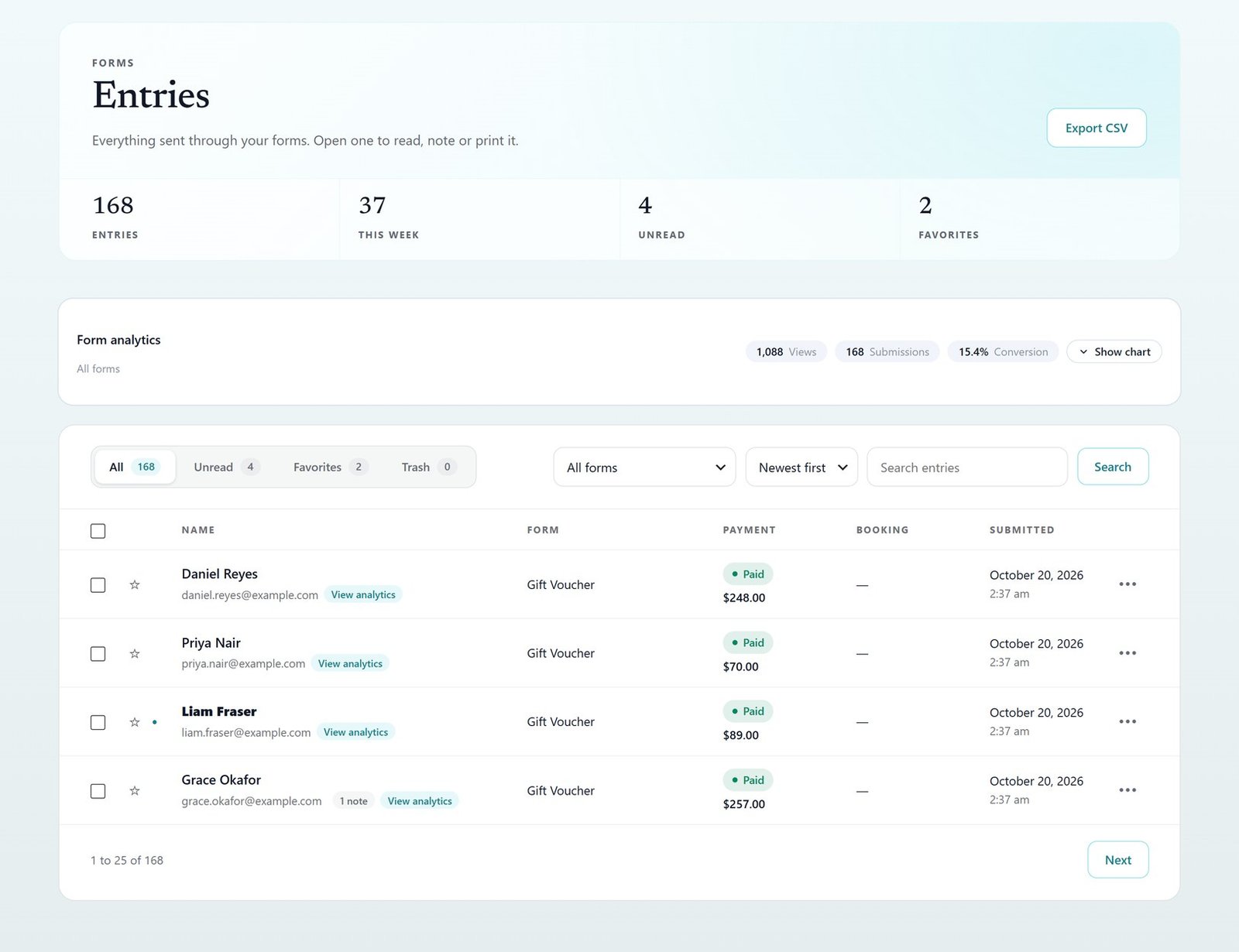
The Echo Forms entries screen: counts, views and four paid gift voucher entries

Their own table

Fast and searchable, never WordPress posts.

Favorites and notes

Work through what came in.

CSV export

Everything out, any time.

PDF of an entry

Download any entry as a PDF, with Signature.

Read one

Every answer, the payment and the notes, on one screen.

Open an entry for the whole of it, step through newer and older ones, resend its email or print it. With Signature, download it as a PDF.

Newer and older, a click away

Resend its email or print it

A PDF with Signature

Feat your entries read one r1025
Feat your entries notes r1025
Notes

Notes your team leaves for each other.

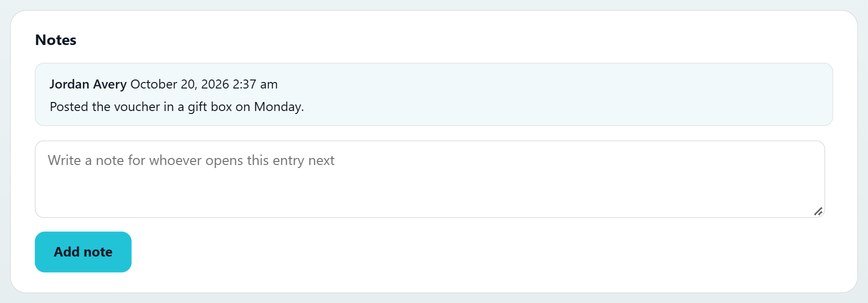
Notes stay with the entry, and only people who manage forms can see them: called back Tuesday, booked for the 14th.

Kept with the entry

Seen only by your team

Who wrote it and when

Out, any time

Export the view you are on, or send it to Google Sheets.

Export CSV downloads the entries of the view and form you are on, ready for Excel or Google Sheets. A form linked to a sheet can copy them there too.

The view you are on

Ready for Excel or Google Sheets

A row per entry in a linked sheet

Feat your entries export them r1025

Everything in entries.

What it does, a line each, so you can check it does what you need.

Their own table

Fast and searchable, never WordPress posts, and no limit.

Views at a glance

All, unread, favorites and trash, with counts.

Favorites and notes

Star the ones that matter, and leave notes for your team.

Several at once

Mark read or unread, add to favorites or move to the trash, in one go.

CSV export

The view you are on, any time.

Moved from other plugins

Gravity Forms, WPForms, Formidable, Fluent Forms and Contact Form 7.

PDF of any entry

Download it, or attach it to an email.

Signature

Where it came from

Source, page, device and location on each entry.

Signature

Scheduled export and clean-up

A spreadsheet emailed every week or month; old entries cleared.

Signature
Set it up

How to manage form entries day to day.

Made for teams sharing one inbox of form submissions. The form submissions database has no limit on entries, and the chart shows the last 14 days, so you see at a glance what came in this week.

01

Find them

Open Echo Forms > Entries and pick a form, or use All, Unread, Favorites and Trash.

02

Read and note

Open one for every answer and its payment, and leave notes your team can see.

03

Export

Export CSV downloads the view you are on, ready to import into Google Sheets or Excel.

04

Move old entries in

Bring forms and entries from Gravity Forms, WPForms, Formidable, Fluent Forms or Contact Form 7.

Questions, answered.

No. There is no limit on forms or entries in the free plugin or in Signature.

In Echo’s own table in your site’s database, not as WordPress posts, so a busy form stays quick.

Yes. Echo moves forms and their entries over from Gravity Forms, WPForms, Formidable Forms, Fluent Forms and Contact Form 7.

Yes, with Signature: Download PDF on any entry.

Every answer, kept.

Echo Forms is free, with every field, logic and payments, and we add no fee to your payments. Signature adds 60 more features, from $49.99 a year, and you have 14 days to ask us for a refund.

Get Echo Forms, free

Every field, logic and payments, with no limit on forms or entries. We email you the download and three setup steps.

The download link and three setup steps come to your inbox.