Echo Forms features
Signature

Form landing pages with no page to build.

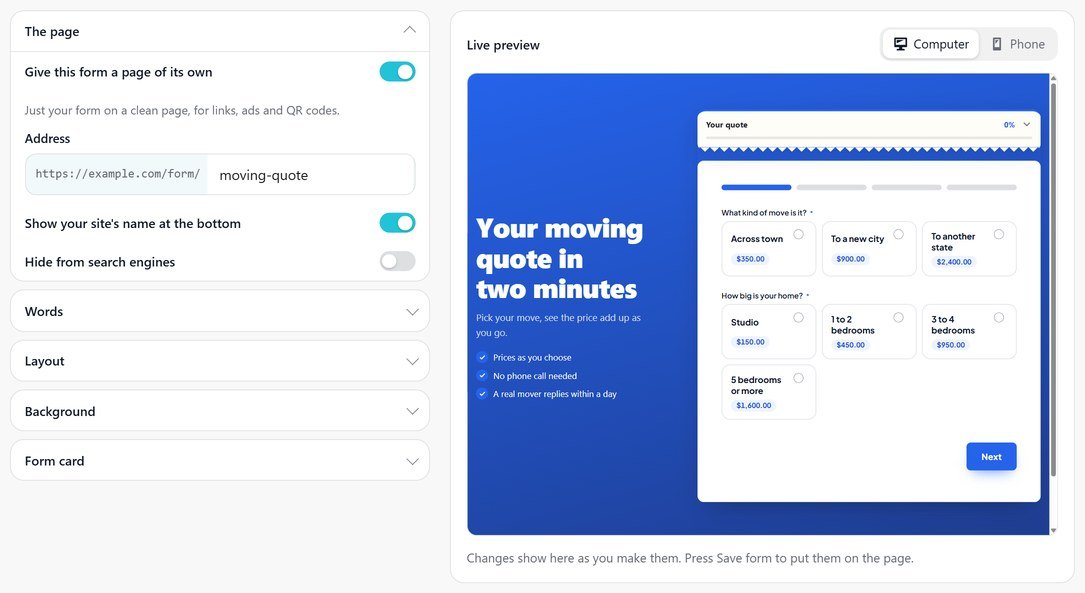
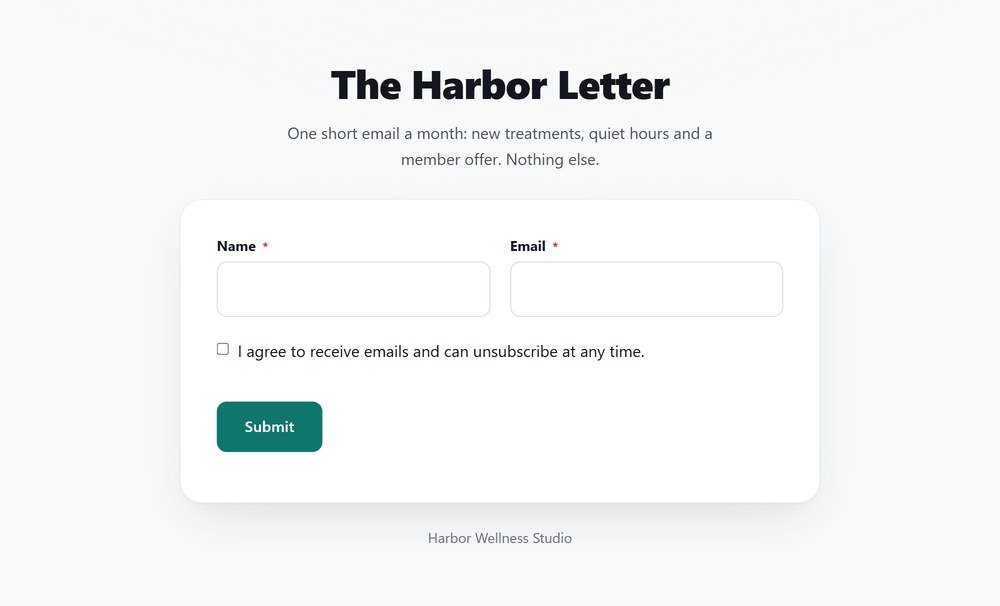
A form landing page gives a form a clean page of its own, with your logo, a heading and a few words, at an address like /form/coffee-feedback/. Nothing distracts from filling it in. Made for links in emails, ads, social posts and QR codes.

For example:

Design the page

A gradient, a color or a picture, with the form on a card.

Put the words above the form or beside it, pick the background, and set the card’s color, corners and shadow. A live preview shows the page on a computer or a phone as you change it.

Centered, or words beside the form

Gradient, color or picture backgrounds

Words that pick their own color

Feat landing pages switch it on r1025
Feat landing pages what is on the page r1025b
Share it

One address for every email, ad and poster.

Copy the address from Open the live page, or use the form’s QR code: with a landing page on, the code opens this page. Pair it with one question at a time for a fully guided feel.

An address you choose

The QR code opens it

Nothing else on the page

Everything in form landing pages.

What it does, a line each, so you can check it does what you need.

A page of its own

At /form/your-form/, with no page to build.

An address you choose

Letters, numbers and dashes; a number is added if it is taken.

Your heading, words and points

Above the form or beside it, with ticks for the points.

Your logo

The site’s logo, a picture you choose, or none.

Any background

A gradient, a color, or a picture darkened so the words still read.

The form on a card

Its color, corners, padding and shadow, or no card at all.

A width you choose

Narrow for a short form, wider for a long one.

A live preview

Computer and phone, as you change it.

The QR code opens it

For posters, tables and counters.

Set it up

How to give a form its own landing page.

Ideal for teams sharing one form in emails, ads and posters. A distraction free form page takes about 3 minutes, because the page is made for you: there is nothing to design in WordPress.

01

Switch it on

On Settings > Landing page, tick Landing page and save. Open the page shows it as visitors see it.

02

Set the address

It starts from the form’s name, such as /form/coffee-feedback/: letters, numbers and dashes.

03

Add a heading and logo

Write the big line and a few words, pick the logo and tint the page color.

04

Share it

Copy the address or use the form’s QR code. Hide from search engines keeps a private page out of results, as Google explains.

Questions, answered.

No. Tick Landing page and the form gets its own address under /form/.

Yes. Letters, numbers and dashes; if another form already uses it, a number is added.

Yes. With a landing page on, the form’s QR code opens it unless you enter another address.

Form landing pages come with Echo Forms Signature.

A page for every form.

Echo Forms is free, with every field, logic and payments, and we add no fee to your payments. Signature adds 60 more features, from $49.99 a year, and you have 14 days to ask us for a refund.

Get Echo Forms, free

Every field, logic and payments, with no limit on forms or entries. We email you the download and three setup steps.

The download link and three setup steps come to your inbox.