
A form can ask for money: a deposit, an order, a registration fee, a donation. People fill in the form, see what they owe, and pay before they leave.
Set up the ways to pay
Open Echo Forms > Connections, Payments. The ways to pay are set up once here and every form can use them. Switch on Take payments on forms 1, then:
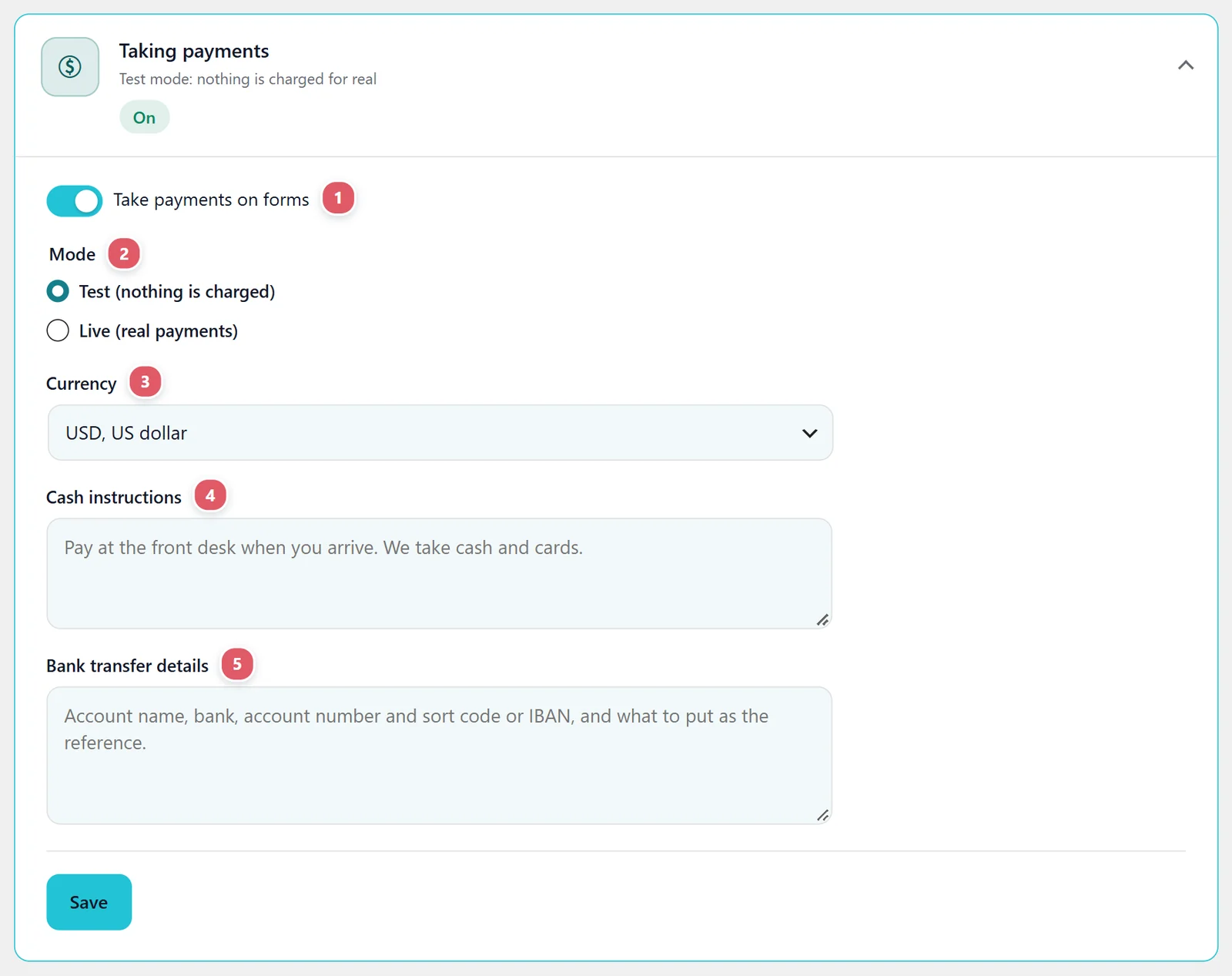
| Setting | What it does |
|---|---|
| 2. Mode | Test (nothing is charged), or Live (real payments). Try every form in test mode first. |
| 3. Currency | The currency every form charges in. |
| 4. Cash instructions | Such as Pay at the front desk when you arrive. We take cash and cards. |
| 5. Bank transfer details | Account name, bank, account number and sort code or IBAN, and what to put as the reference. |
Then connect a payment service on its card. Each card says where to find its keys, in test and in live mode:
| Service | What it needs |
|---|---|
| Stripe | A secret key, and a webhook signing secret so a payment counts even if they close the tab before coming back. |
| PayPal | A client ID and secret from developer.paypal.com. |
| Razorpay | A key ID and secret, and a webhook secret of your own. |
| Mercado Pago | An access token. There is no webhook to add. |
| Paystack | A secret key, and the webhook address pasted into Paystack. |
Keys stay in your own site’s database. A saved secret is never shown again; leave its box empty to keep it.
Make a form take payment

- Add the prices to the form: a Single item, Checkbox items, Dropdown items, a Product picker or a Calculator, and a Total. See Prices and totals.
- On Settings > Payments, switch on Take a payment when this form is sent 1. It sets After they send it on the Confirmations tab to Collect payment for you, and switching it off puts the thank-you message back.
- Then choose which ways this form offers.
Online 2: the services set up on this site, to tick for this form. Leave them all unchecked to offer every way that is set up. The ones not set up yet are named on one line under them, with a link to set one up.
Offline 3: cash and bank transfer. Offline ways stay off until checked here, so paying at the desk is always a choice you made. You mark those entries paid yourself when the money arrives, from the entry’s Payment card. See Your entries.
After sending, they see what they owe and a button for each way to pay. A paid entry shows as paid under Entries, with the service’s own reference.
More ways to pay
Echo Forms Signature adds five more cards on Connections > Payments:
| Service | How they pay |
|---|---|
| Square | Cards, Apple Pay and Google Pay on a Square payment link. |
| Authorize.Net | Cards on Authorize.Net’s own payment page. |
| Converge (Elavon) | Cards on Elavon’s Converge payment page. |
| WooCommerce checkout | Your shop’s own checkout, with every way to pay it takes, then back to the form. |
| Recurly | A subscription to a Recurly plan, from card fields on the form’s page. |
Charge again every week, month or year
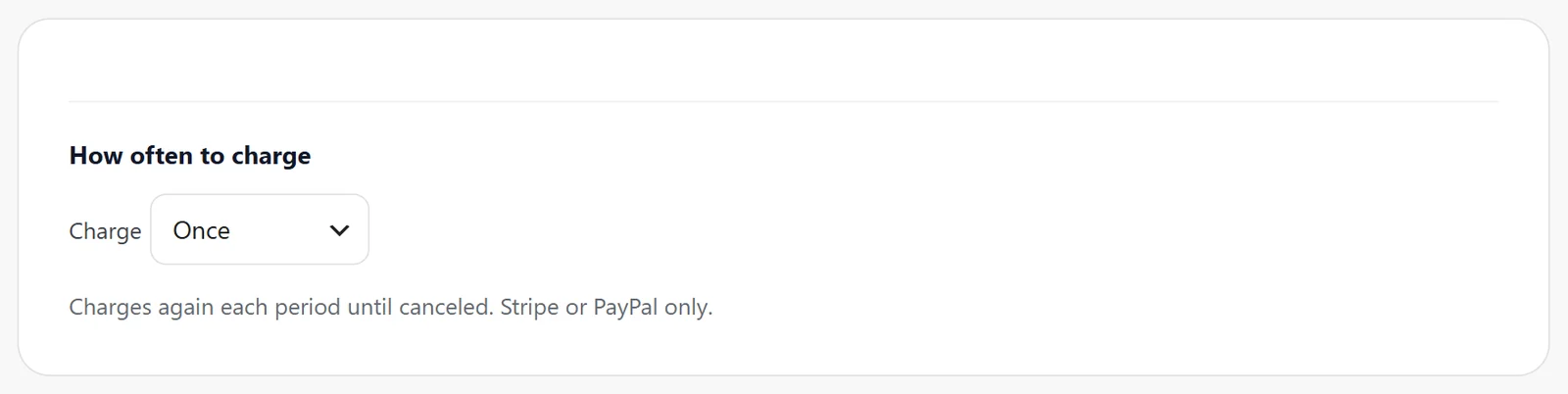
On a form’s Payments tab, How often to charge can be Once, Every week, Every month or Every year. Anything but once starts a subscription with Stripe or PayPal: the same amount is taken again until the person or you cancel it there. Only those two are offered for it, and no offline ways. The pay step says every month beside the amount.
Each Stripe renewal and cancellation is noted on the entry. PayPal renewals are taken by PayPal but not yet noted on the entry.
A checkout page of your own
Put [echo_checkout] on a page, and every form that collects payment sends people there to pay, with your site’s own layout around the pay step, rather than paying on each form’s page.
Let customers ask to pay in person
On a booking form with Pulse Bookings, Letting customers ask to pay in person adds a box: I would like to pay in person instead of online. The in-person ways stay hidden until staff approve the booking, so paying at the desk is offered only when you say yes.
Discounts
A Coupon code field takes money off the total. See Coupons.

Support comes with Signature: in Echo Forms, open Help & feedback and tell us what you were doing, and the people who build it answer, seven days a week. Get Signature