
A save and resume form lets someone stop part way, leave, and come back later to exactly where they were, with every answer still filled in. It is the kindest thing you can add to a long form, because real life interrupts people. This guide is for teams who run applications, intakes or registrations. We cover when to offer it, how it works and how long to keep progress, based on how we built it in Echo Forms.
The short version
- Offer save and resume on forms that take more than about 5 minutes.
- People get a link back to their answers, by email or on screen.
- Keep progress long enough to be useful and short enough to respect privacy: 30 days is a good default.
- Pair it with one reminder email for people who leave without saving.
Why let people save a form and finish later?
Because long forms ask for things people do not have at hand. A rental application needs a reference’s phone number. A grant form needs a budget figure. A patient intake needs a list of medicines. Without a way to save, people either guess, give up, or start again later and hate you a little for it.
Saving also helps with second opinions. A couple filling in a wedding questionnaire, or a manager checking a purchase request, can pass the form between them instead of rushing it in one sitting.
Which forms need save and resume?
Not every form. A 3-field contact form does not. Offer it when one of these is true:
- The form usually takes more than 5 minutes to fill in.
- It asks for documents or numbers people need to look up.
- More than one person contributes answers.
- People fill it in on a phone, where interruptions are constant.
How does save and resume work?
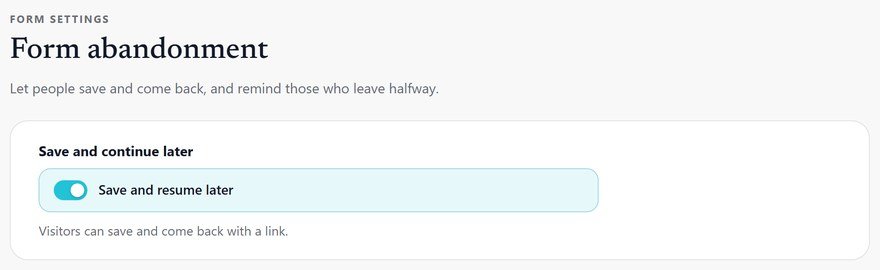
The form shows a link, often labeled Save and finish later. When someone uses it, the form keeps their answers and gives them a private link back. Open the link later, on any device, and the form loads with everything they typed. When they finally send it, it becomes a normal entry.
With Echo Forms Signature, saved progress is never shown as an entry, so your list stays clean. It is kept for 30 days and then cleared. We chose 30 days because it covers a month of real life without holding personal data for longer than it is useful.
How long should you keep saved progress?
Long enough to be useful, short enough to respect privacy. For most forms, 30 days works. A form about a single event can be shorter, such as 7 days before the date. If you have visitors in Europe, say on the form how long you keep saved answers, which the GDPR overview recommends for any personal data you hold.
What about people who leave without saving?
Some people will simply close the tab. For them, a recovery email works well: if they typed an email address and left, the form waits, then sends one message with a link back. In Echo Forms you choose the delay in minutes, such as 60 minutes for a short form or 1 day for a long application. Read more in form abandonment.
How to set up a save and resume form, step by step
- Install Echo Forms Signature next to the free plugin.
- Open the form and go to Settings.
- Switch on Save and resume later.
- Add a line near the top: You can save and finish this later.
- Send yourself through it once: fill half, save, open the link on your phone, finish.
The save and continue guide shows every setting. If the form is long, also split it into steps, so people see natural places to stop.
Does saving progress slow the site down?
No. Saved progress is a small record kept until the form is sent or the 30 days pass. Nothing loads for visitors who never use it.
A save and resume form tells people you understand their day. For a long application form, it is often the difference between an entry next week and no entry at all.
Let people come back to their answers
Save and resume comes with Echo Forms Signature, on every plan from $49.99 a year.



