
Examples come with Echo Forms Signature. Without it, the Examples screen shows each one, and using one opens a note about Signature.
The quickest way to learn what a form can do is to open one that already does it. Examples are finished forms built with Signature: screens between questions, the live summary, the popup designer, quizzes with designed results and custom CSS, all set up and working.
Open the Examples
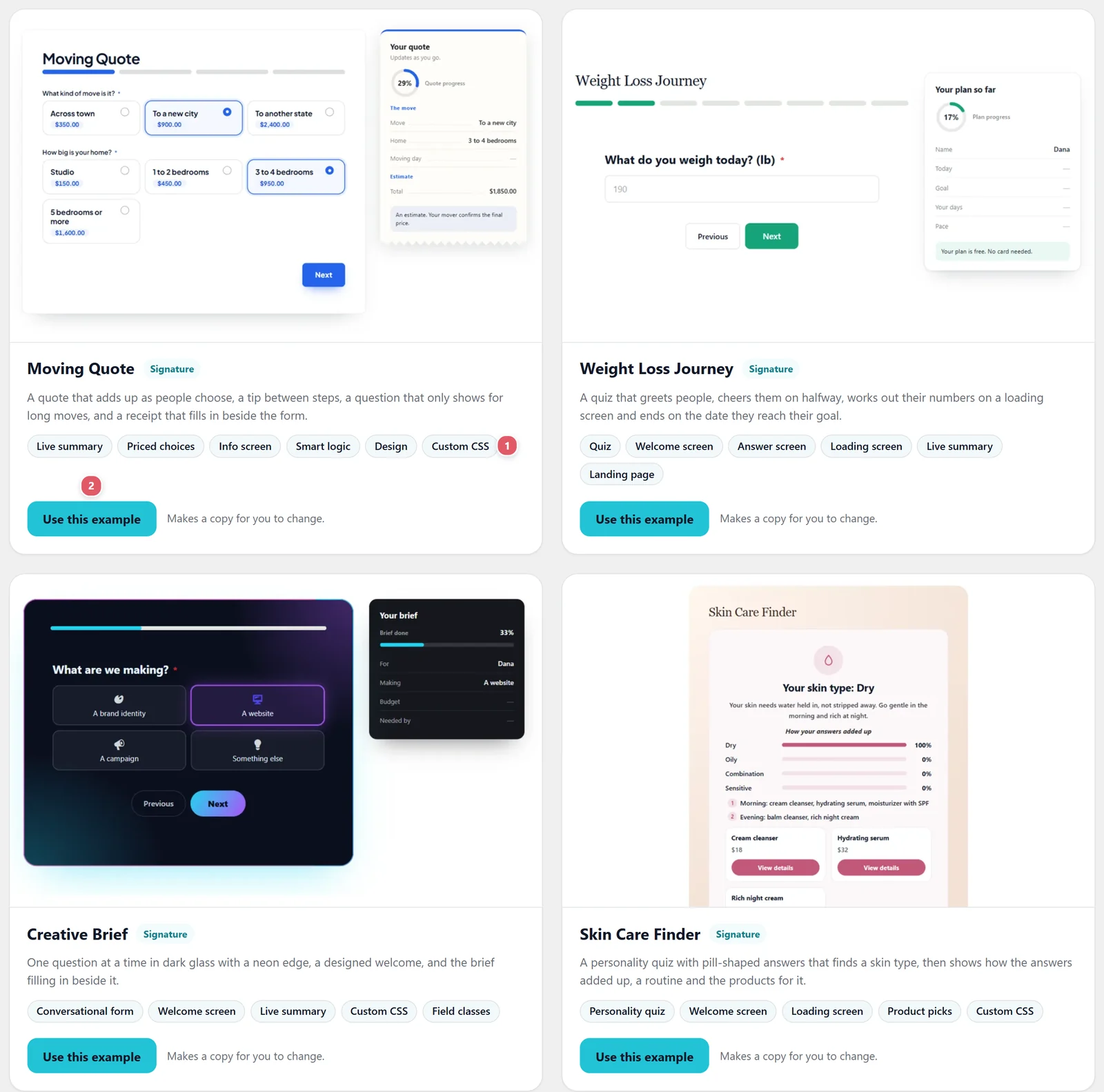
Go to Echo Forms > Examples. Each card shows the finished form, a line on what it does, and the features it uses 1.
| Example | What it shows off |
|---|---|
| Moving Quote | A quote that adds up as people choose, a tip between steps, a question only for long moves, and a receipt that fills in beside the form. |
| Weight Loss Journey | A quiz that greets people, cheers them on, works out their numbers on a loading screen and ends on the date they reach their goal. |
| Creative Brief | One question at a time in dark glass with a neon edge, a designed welcome, and the brief filling in beside it. |
| Skin Care Finder | A personality quiz with pill-shaped answers that finds a skin type, then shows a routine and the products for it. |
| Workshop Sign-up | A popup with the event on a colored side, a short form beside it, picture choices and polite closing words. |
Make one your own
Press Use this example 2. A new form is made from it and opens in the builder, with every field, screen, email, style and its custom CSS, ready to change. The example itself stays as it was, so you can use it again.
You can also start from an example when you make a new form: in the Start a new form window, Examples sits at the top of the list on the left.
Two of the examples, Moving Quote and Creative Brief, get much of their look from custom CSS and the class on a few fields. Open Settings > General > Custom CSS in the form to see how, and change the colors there.
Support comes with Signature: in Echo Forms, open Help & feedback and tell us what you were doing, and the people who build it answer, seven days a week. Get Signature