
Landing pages come with Echo Forms Signature. While the add-on is off, a form’s page address no longer shows the form. The page comes back, at the same address, with the add-on.
A landing page is the form on a page of its own, without your site’s menus or sidebar, so nothing distracts from filling it in. Good for links in emails, ads, social posts and QR codes.
Switch it on
Open the form, then Settings > Landing page, and switch on Give this form a page of its own 1. Save the form and the page is live.
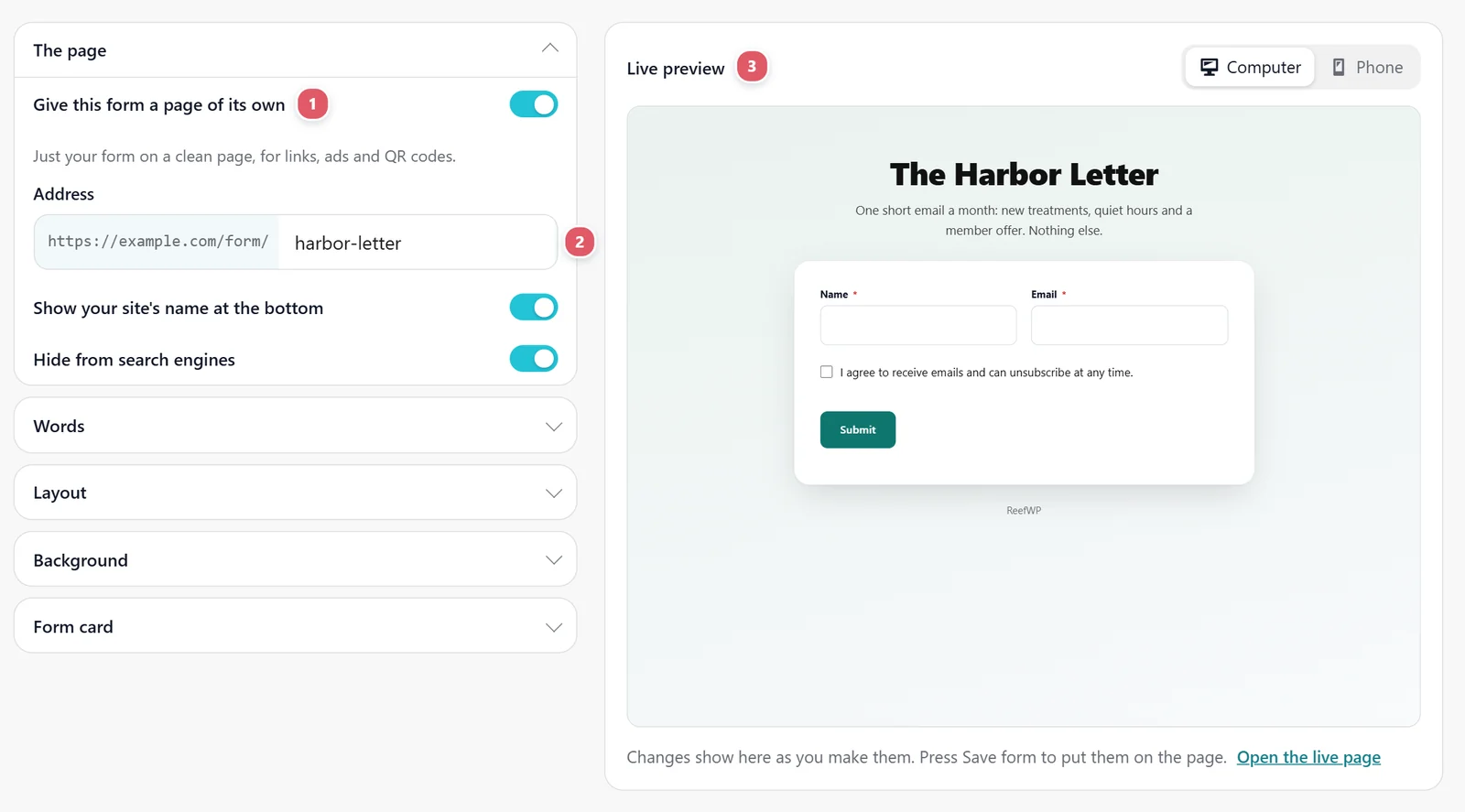
Address 2: the end of the page’s address, after /form/. It starts from the form’s name, such as /form/coffee-feedback/. Letters, numbers and dashes. If another form already uses it, a number is added.
The Live preview 3 shows the page as you change it, on a Computer or a Phone. Open the live page opens the real one in a new tab.
Two more switches sit under The page: Show your site’s name at the bottom, linking to your home page, and Hide from search engines, for a page meant only for the people you send the link to.
Design the page
Each group under The page opens with a click, and the preview follows every change.
| Group | What you set |
|---|---|
| Words | Show a heading and words above the form, then the Heading (left blank, it is the form’s name, which is also the name on the browser tab), A few words, and Points with a tick, one per line, such as Takes two minutes. |
| Layout | Centered, Words, then form (the words on the left, the form on the right) or Form, then words. Then the Form width, the Logo (the site’s logo, a picture you choose, or none) and its size. |
| Background | Gradient (a color that fades to another, in the direction you pick), Color, Picture (with how much to darken it so the words still read) or None. |
| Words color | Picks itself: dark words on a light background, white on a picture. Choose a color to set your own, and Reset to let it pick again. |
| Form card | Put the form on a card, then the card’s color, corners, padding and shadow: Subtle, Soft, Solid or Glow. Padding starts at its usual size; slide it down to 0 for none. Without a card, the form sits straight on the background. |
A form with one of the finished designs from the Style tab always brings its own card, so the Form card settings step aside for it.
What is on the page
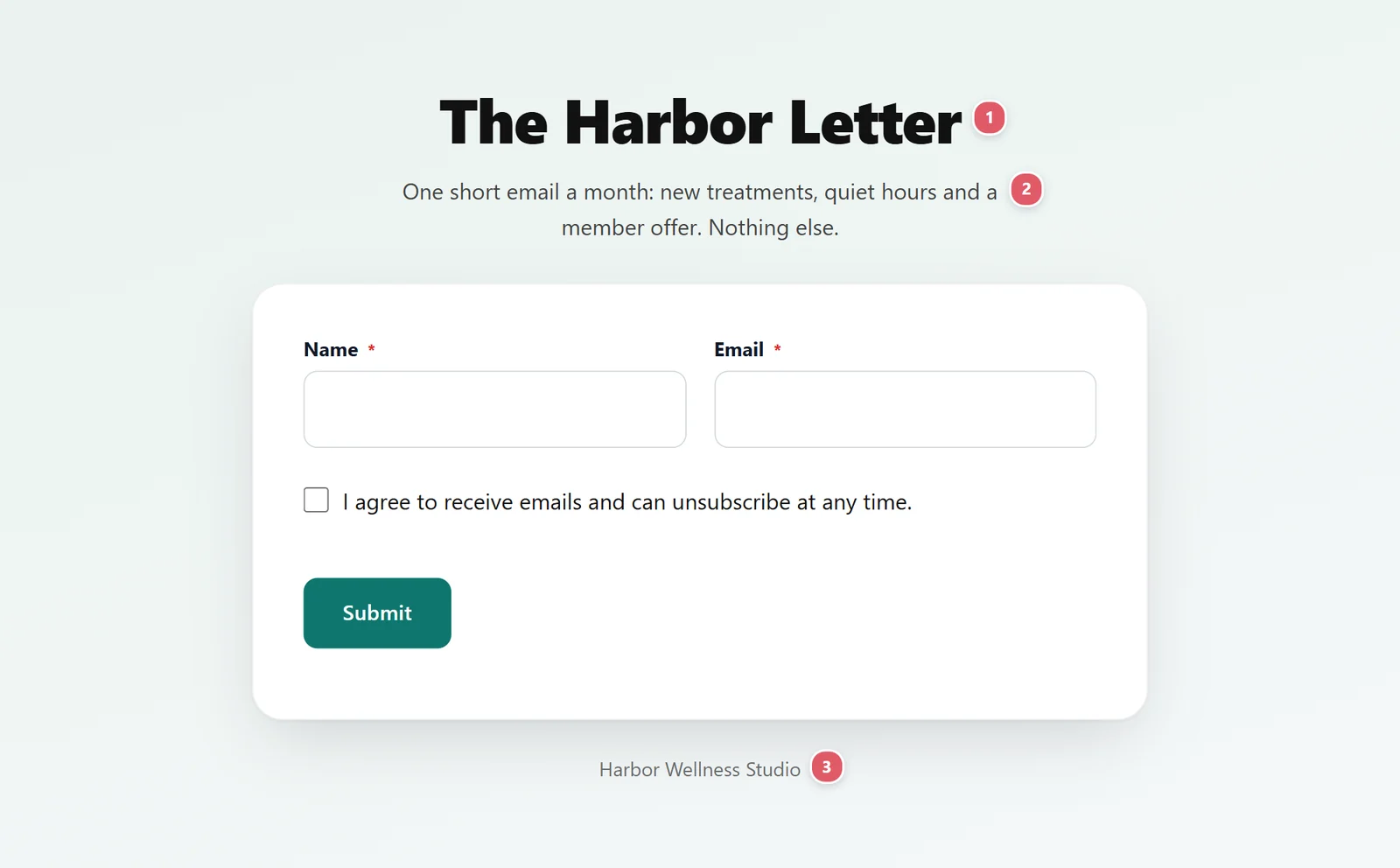
| What it is | |
|---|---|
| {1} | Heading: the big line at the top. Left blank, it is the form’s name. |
| {2} | A few words: a line or two under the heading. |
| {3} | Your site’s name, linking to your home page, when Show your site’s name at the bottom is on. |
A form set to open as a popup shows as an ordinary form on its own page, with no button to press first.
Share it
Copy the address from Open the live page, or use the form’s QR code on the General tab: with a landing page switched on, the code opens this page unless you enter another address. See General settings.
For a fully guided feel, pair it with one question at a time.
Support comes with Signature: in Echo Forms, open Help & feedback and tell us what you were doing, and the people who build it answer, seven days a week. Get Signature