
Layout fields shape the form without asking anything, except the two spam checks at the end of this guide.
Section heading and section divider

- Section heading: a heading in among the fields, such as About your pet. Its look is on the Style tab.
- Section divider: a line between groups of fields.
Rich text
Words, links and pictures between fields, such as your opening hours, a short note on what happens next, or a photo of what they are ordering.

Content
Content (basic HTML allowed) takes plain text, or simple HTML for paragraphs, bold, links and images:
<p><strong>Good to know:</strong> we are open Tuesday to Saturday, 9 to 5.</p>
<p>Read our <a href="/cancellations/">cancellation policy</a> before you book.</p>
Anything unsafe, such as scripts, is stripped when the form is saved, so nothing on the form can harm a visitor.
Hidden value
A Value sent with every entry that visitors never see, such as spring-campaign, so you know which form or page an entry came from. It is saved on the entry and can go into emails and exports like any answer. A common trick: put the same form on two pages with a different hidden value on each copy you make, and you can tell at a glance which page brought each entry. To record the campaign a visitor arrived from automatically, see where an entry came from.
Split a form into steps
Add a Page break where each new step should start. Each break has:

- Step title (shown in the progress indicator), such as Your details or Pick a time.
- “Next” button text for the page this starts, such as Continue to payment. See below.
Visitors move between steps with your Next button and Previous, and each step’s required fields are checked before they can move on.
Next button text
“Next” button text for the page this starts is the words on the button that leaves the step before this break. Left blank it says Next. A button that says where it goes keeps people moving: Choose your time, Continue to payment, Almost done. The last step’s button is the form’s Submit button text.
With conditional logic, a step whose fields are all hidden is skipped, forward and back.
The progress indicator
A form with at least one page break shows how far along they are. Choose its look under Settings > General > Progress indicator; each swatch previews step 2 of 4.

| Style | What it looks like |
|---|---|
| 1. Numbered steps | The classic row of numbers with labels. |
| 2. Progress bar | One plain filling bar, nothing else. |
| 3. Hairline | A quiet 4px rule that works under any header. |
| 4. Ridge gradient | Thick bar with a sunrise gradient fill. |
| 5. Segments | One block per step, so the state is countable. |
| 6. Two-tone segments | Finished steps settle to green, the current one stays accent. |
| 7. Trail stones | Numbered nodes on a connecting path, checked off as you pass. |
| 8. Milestone markers | Diamonds that lock in as you pass them. |
| 9. Elevation profile | Progress read as a climb, bars rising along the route. |
| 10. Marker on the line | A floating flag that walks the bar and names the step. |
| 11. Dual track | Done and remaining tracked side by side. |
| 12. Percent counter | A big numeral paired with a soft inset track. |
| 13. Fraction | 01/05 with the step name, over a thin rule. |
| 14. Tabbed header | Numbered tabs across the top, the current one lit. |
| 15. No indicator | Steps without an indicator. |
Let them check before they send
An Entry preview field shows a Live summary of everything filled out so far. Put it on the last step, before the submit button, so people can check their answers and go back to fix one.

Spam checks you can place
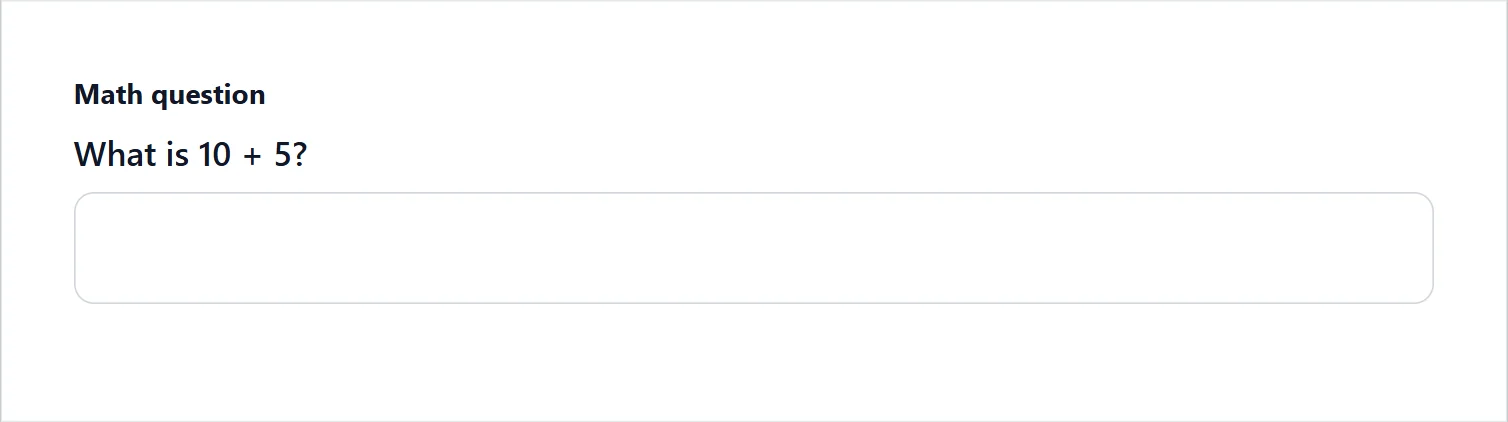
- Math question: What is 4 + 7?, a new sum each time the form loads. No account needed.
- CAPTCHA: places the reCAPTCHA or hCaptcha check exactly where you want it. The provider is connected under Connections; without this field, the check comes at the end of the form when the form asks for one.
See Spam protection.
Support comes with Signature: in Echo Forms, open Help & feedback and tell us what you were doing, and the people who build it answer, seven days a week. Get Signature