


Ask a quick question and show everyone how the vote is going as soon as they answer, on the form or anywhere on your site.
Poll results come with Echo Forms Signature. While the add-on is off, votes are still kept as entries and people see the thank-you message.
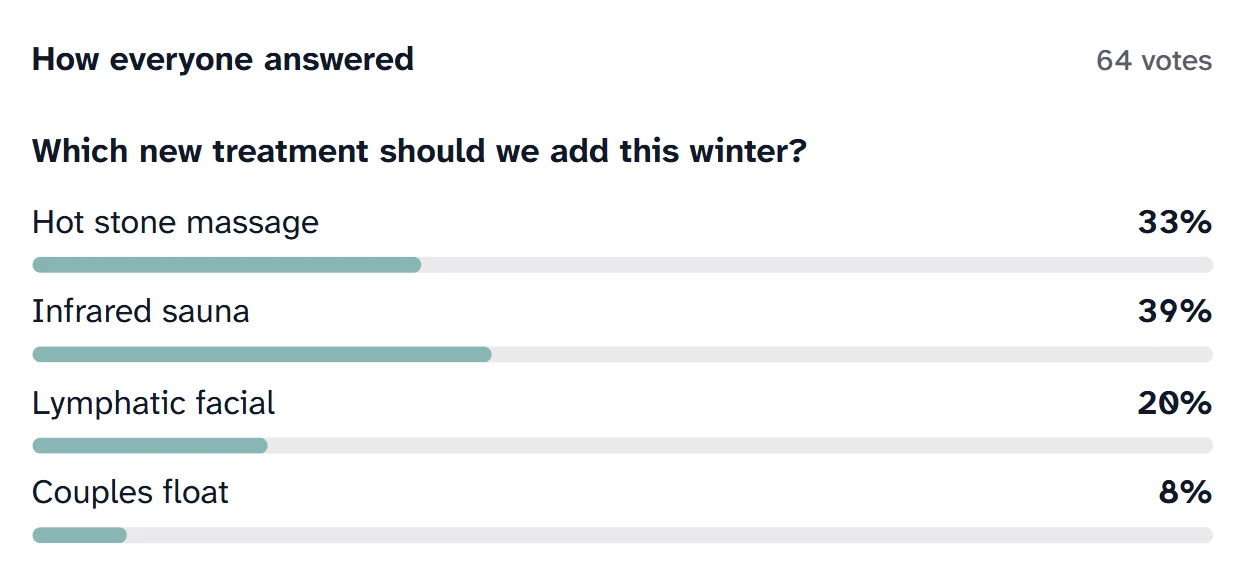
A poll is a short form with one or a few multiple choice questions. What makes it a poll is the reward: as soon as someone votes, they see how everyone else answered.
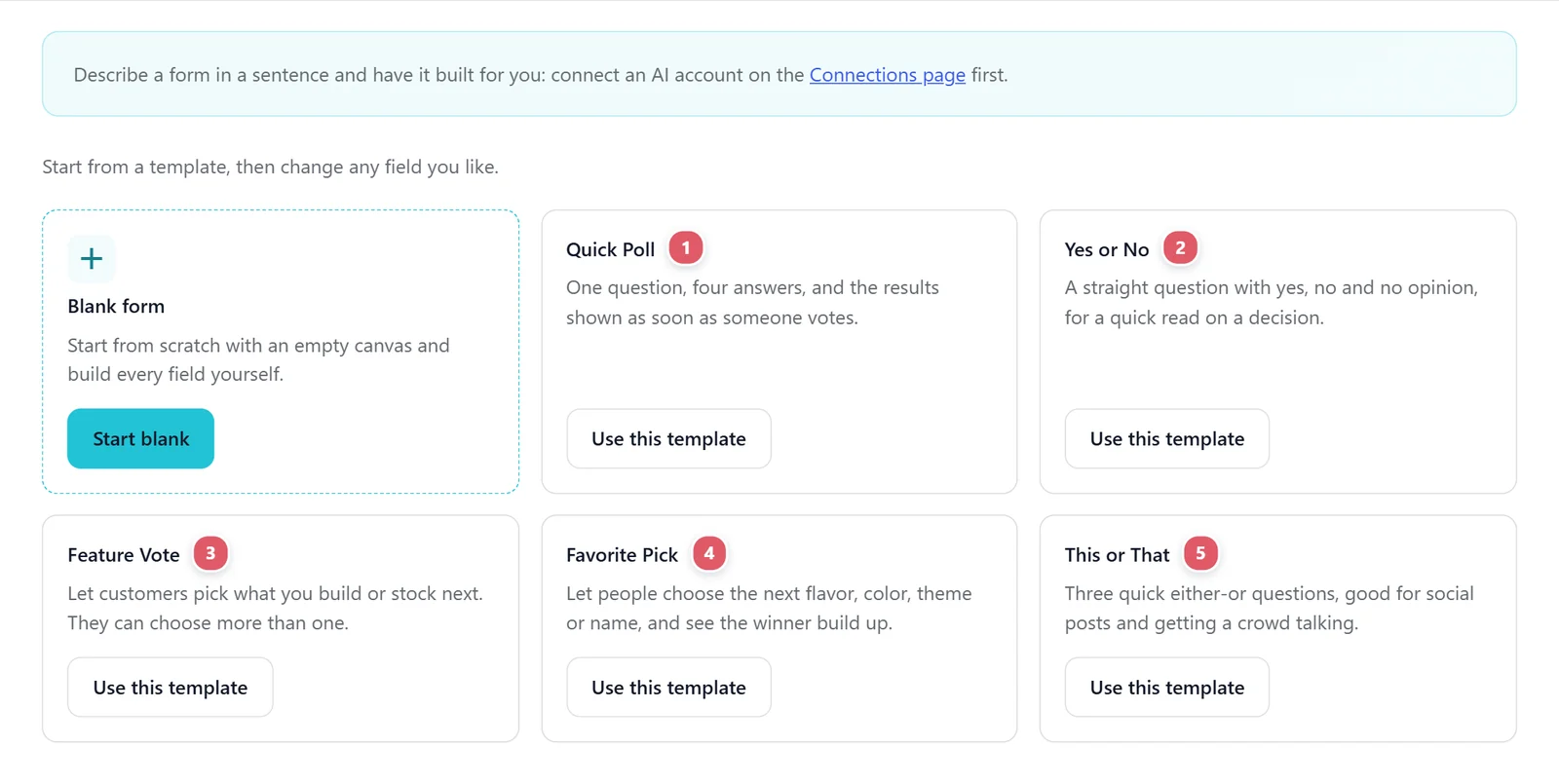
New form > Polls has five, each with its results already switched on:
| Template | What it asks |
|---|---|
| 1. Quick Poll | One question, four answers. |
| 2. Yes or No | A straight question with yes, no and no opinion. |
| 3. Feature Vote | What you should build or stock next. People can choose more than one. |
| 4. Favorite Pick | The next flavor, color, theme or name, with the winner building up. |
| 5. This or That | Three quick either-or questions, good for social posts. |
On any form, open Settings > Survey and poll and switch on Show the results after they vote. The same tab counts the answers so far and opens the survey and poll templates.
After voting, people see How everyone answered: each Multiple choice, Dropdown and Checkboxes question with a bar for every answer, its share and the number of votes. Their own pick is marked your answer. The thank-you message still shows above it.
The setting shows this form’s own results shortcode, such as [echo_form_results id="12"]. Put it on any page to show the same results without the form: on a results page, in a sidebar, or beside an article about the vote. It shows only for a form with poll results switched on.
The counts update with every vote.
To keep a poll fair, set Entries per person on the form’s Scheduling tab. One per device suits a quick, anonymous poll; One per account or One per email address suits a vote that matters. See Scheduling and limits.
The full picture of every vote, with charts for each question, is on Survey results.
Support comes with Signature: in Echo Forms, open Help & feedback and tell us what you were doing, and the people who build it answer, seven days a week. Get Signature
Every field, logic and payments, with no limit on forms or entries. We email you the download and three setup steps.
Sending...
Check your inbox