
Automation apps come with Echo Forms Signature. While the add-on is off, the keys stop working and apps hear nothing; they work again, with the same keys, when it is back.
Zapier, Make and n8n connect thousands of apps. With Echo Forms in them, a new entry can start anything: a row in a spreadsheet, a card on a board, a message in a team chat, a deal in a CRM.
Make a key
On the Automation apps card, type a name under Make a new key named, such as Zapier, and save. Your new key. Copy it now: it is not shown again. One key per app makes it easy to switch one off later.
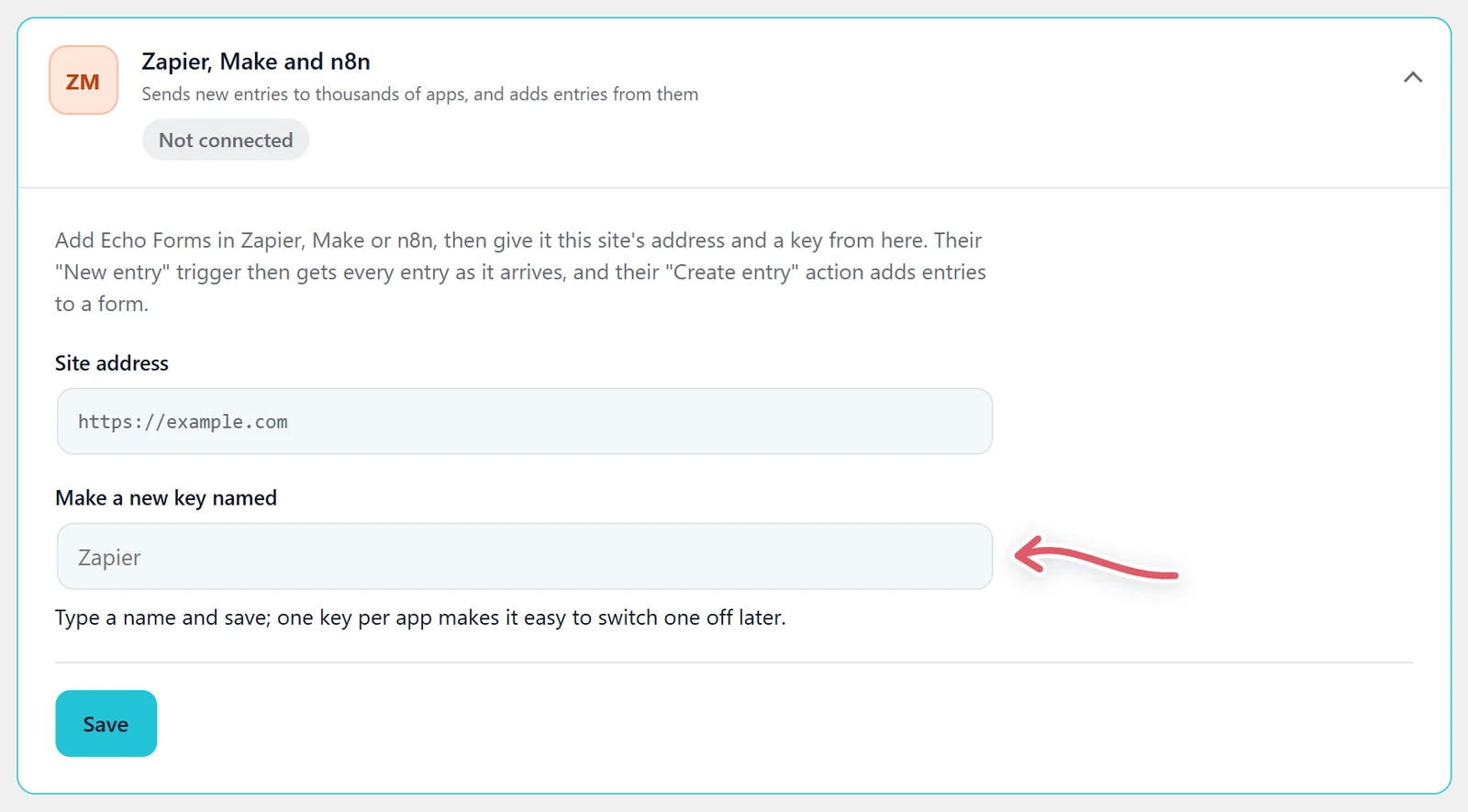
The card lists each key with when it was Made and Last used, and Remove to cut that app off. It also says how many apps are listening for new entries.
Connect the app
In Zapier, Make or n8n, add Echo Forms, then give it your Site address (shown on the card) and the key.
- New entry (a trigger): every entry of the form you pick, as it arrives, with each answer as its own value.
- Create entry (an action): adds an entry to a form, from anything the other app knows. Required questions must be answered, and only that form’s questions are taken.
For a one-way link without a key, the form’s Webhook card sends each entry to Zapier’s Catch Hook, Make’s Custom Webhook or n8n’s Webhook node. See Send entries to your other tools.
For developers
The same key opens a small API under /wp-json/echo/v1/apps/, sent as an X-Echo-Key header or Authorization: Bearer:
| Route | What it does |
|---|---|
GET me | Checks the key. |
GET forms | Your forms. |
GET forms/{id}/fields | A form’s questions. |
GET forms/{id}/entries | Its newest entries. |
POST forms/{id}/entries | Adds an entry. |
POST hooks and DELETE hooks/{id} | Subscribes an https address to new entries, and removes it. |
Each new entry is sent to every subscribed address in the background. An address that answers 410 Gone is dropped.
Support comes with Signature: in Echo Forms, open Help & feedback and tell us what you were doing, and the people who build it answer, seven days a week. Get Signature