
Echo Forms is free and complete by itself. Echo Forms Signature is a second plugin that sits beside it and adds the features marked Signature in these guides. Nothing in the free plugin is held back or switched off to make room for it.
Switch it on
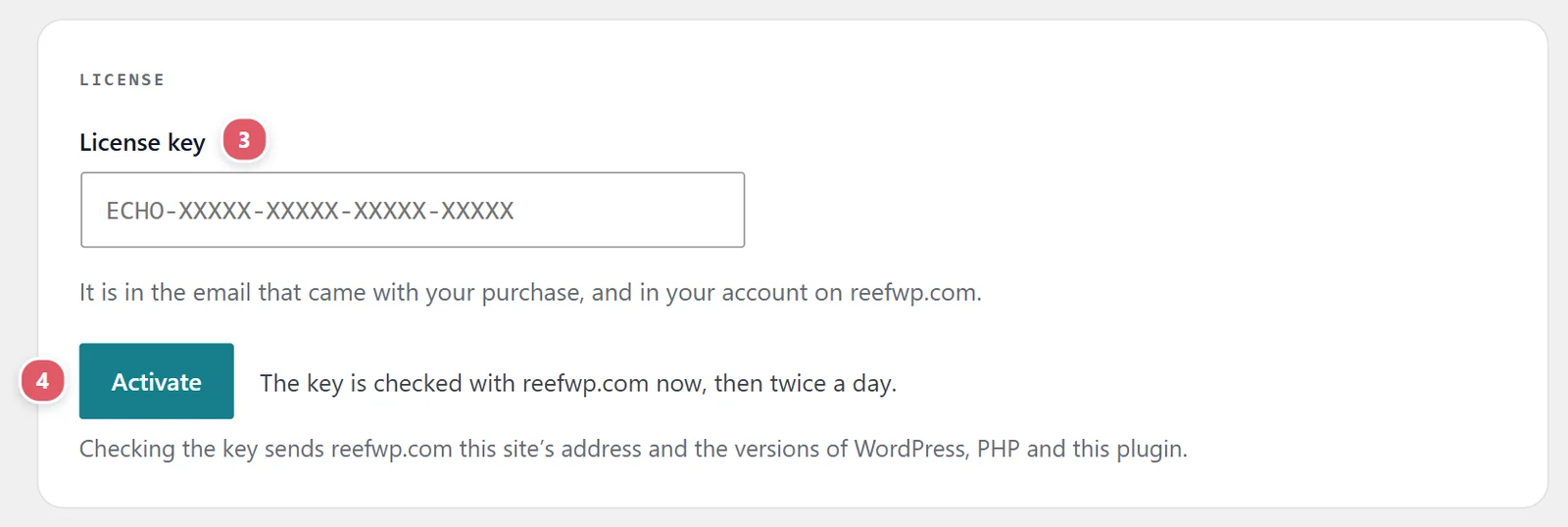
- Install and activate the Echo Forms Signature plugin, from the download in your account on reefwp.com.
- Open Echo Forms > Signature.
- Paste your License key: it is in the email that came with your purchase, and in your account on reefwp.com.
- Press Activate. The key is checked with reefwp.com now, then twice a day.
The screen then shows the end of your key, your Plan, and when it Renews. One key switches on everything listed below, on this site. It also covers Spout SMTP Signature here, so form emails arrive.
Remove the key from this site frees it for another site, such as when you move to a new domain.
What it adds
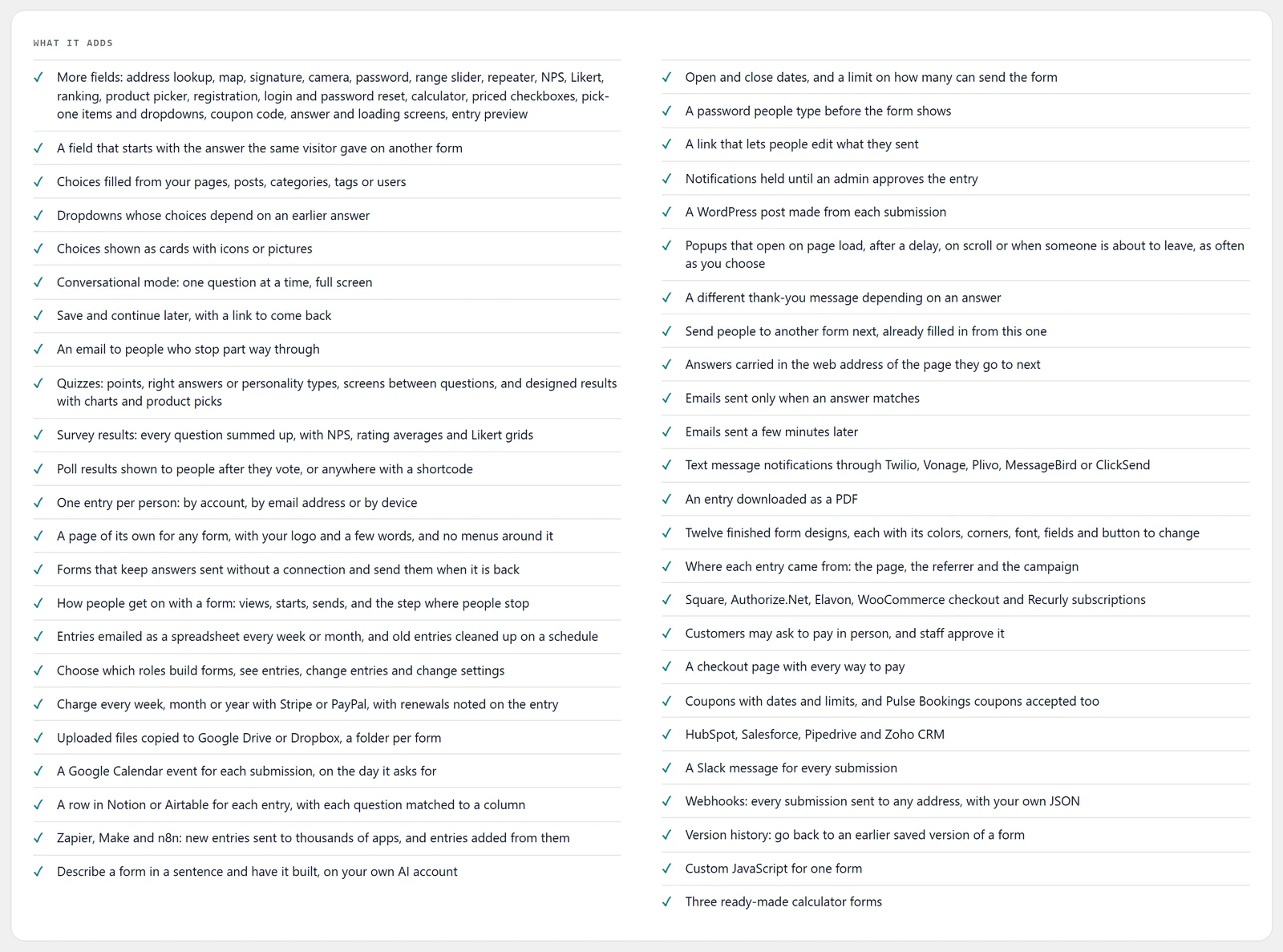
| For | Signature adds | Guide |
|---|---|---|
| Fields | Signature, Camera, Range slider, Repeater list, Address lookup, Map (drop a pin), Password, a review step before sending, choice cards with icons and pictures, choices from your site, dropdowns that depend on an earlier answer, NPS, Likert scale, Ranking, Calculator, Product picker, priced choices (checkbox, pick-one and dropdown items), Coupon code, Registration, Login and Password reset | Everyday fields, Choices and ratings, Prices and totals, Account fields |
| Starting a form | Calculator, quiz, survey and poll templates; building a form from a description with AI | Start a form |
| Looks | Twelve finished form designs, each with its colors, corners, font, fields and button to change | Style your form |
| Answers from elsewhere | A field filled from another form’s answer | Field options |
| Showing a form | Popups that open on their own, landing pages, one question at a time, save and continue, emails to people who left | Popups, Landing pages, Conversational forms, Save and continue |
| Limits | A password, open and close dates, a cap on entries, one entry per person | Scheduling and limits |
| After sending | Messages by answer, sending people on to another form, address parameters, poll results | After they send it |
| Emails | Sending by answer, sending later, texts, edit links, approval | Emails for each entry |
| Quizzes and surveys | Scoring, designed results, answer and loading screens, survey results, where people stopped | Quizzes, Survey results, Polls |
| Entries | PDFs, where each entry came from, weekly or monthly exports, clearing out old entries, posts made from entries | Your entries, Turn entries into posts |
| Money | Square, Authorize.Net, Converge, WooCommerce checkout, Recurly, subscriptions, a checkout page, paying in person, coupons | Payments, Coupons |
| Connections | CRMs, Slack, webhooks, texts, Google Drive, Dropbox, Google Calendar, Notion, Airtable, Zapier, Make and n8n | Send entries to your other tools, Automation apps |
| Your team | Who can build forms, see entries, change them and change settings | Site-wide settings |
| Safety | Version history for every form; custom JavaScript; forms that work offline | Version history, General settings |
| Help | Support by email, at the front of the queue | Help and feedback |
If Signature is ever off
Nothing is lost. A form that uses a Signature field or setting keeps it while the add-on is off or the key has lapsed, and it all comes back the moment Signature is on again. Each guide says what a form does in the meantime: most show the plain form, and anything held, such as a delayed email, waits rather than disappears.
Support comes with Signature: in Echo Forms, open Help & feedback and tell us what you were doing, and the people who build it answer, seven days a week. Get Signature